Efficiently monitor and manage multiple remote computers with seamless control and live viewing options
Efficiently monitor and manage multiple remote computers with seamless control and live viewing options
Vote (2 votes)
Program license Trial version
Developer EduIQ.com
Version 1.1.2
Works under Windows
Vote
(2 votes)
Developer
EduIQ.com
Works under
Windows
Program license
Trial version
Version
1.1.2
Pros
- Comprehensive remote monitoring and control
- Bulk management of common administrative tasks
- User-friendly interface with customizable views
- Works across various operating systems and devices
- Bandwidth-efficient live monitoring
Cons
- Requires agent installation on each remote computer
- Advanced features may require network configuration knowledge
- No built-in communication tools like chat or announcements
Remote desktop monitoring and classroom management for Windows networks
Overview of AdminZilla Network Administrator
AdminZilla Network Administrator is a robust Windows application designed for centralized monitoring, control, and management of multiple computers on a local network. Tailored for IT administrators and educators, the software provides a real-time view of each workstation, enabling efficient supervision and support directly from a central console. Its cross-platform compatibility extends access to mobile devices and other operating systems, strengthening remote management capabilities.
Core Features and Functionality
Live Screen Monitoring
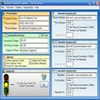
AdminZilla’s primary function is presenting live thumbnails of every computer on the network. Administrators can monitor user activity in real time, identifying issues or inappropriate usage. The thumbnail grid is customizable, letting users adjust the layout for optimal visibility and workflow.
Remote Control and Assistance
The software enables remote access to mouse and keyboard controls. This feature is particularly useful in educational or help desk settings, where immediate assistance is required. Admins can support users or remotely resolve issues without needing to visit each workstation.
Power and Application Management
AdminZilla allows bulk execution of power commands such as shut down, restart, log off, lock, and hibernate across all connected computers with a single click. Administrators can efficiently manage endpoints at the end of a school day or before system maintenance. Additionally, there are tools to launch applications, display specific web pages, or terminate running programs across multiple machines for greater administrative control.
Flexible Device Support
The management console is accessible from a variety of devices, including Windows, macOS, iOS, and Android systems. This multi-platform access means network managers can supervise and interact with computers even while away from their desks.
Installation and Network Integration
Setting up AdminZilla involves installing an agent application on each remote computer. The central console auto-detects these agents, presenting an organized dashboard of all endpoints. While straightforward, larger networks may require coordinated deployment. The interface is designed with usability in mind, focusing on quick access to commands and intuitive navigation.
Performance and Resource Usage
Live screen updates are optimized to minimize bandwidth consumption. AdminZilla allows custom refresh intervals, balancing timeliness of updates with network resource usage. Even in environments with limited connectivity, performance remains stable, and essential functions do not suffer significant latency.
Security Considerations
For environments dealing with sensitive data, AdminZilla includes user authentication and connection encryption to help protect against unauthorized access. Access controls can be configured to ensure that only designated administrators can interact with remote endpoints.
Summary
AdminZilla Network Administrator stands out as an efficient solution for real-time network supervision and classroom management. With powerful tools for monitoring, remote support, and batch administration, the application fits the needs of both IT professionals and educators. Straightforward deployment and cross-device support further improve its practicality in diverse organizational settings.
Pros
- Comprehensive remote monitoring and control
- Bulk management of common administrative tasks
- User-friendly interface with customizable views
- Works across various operating systems and devices
- Bandwidth-efficient live monitoring
Cons
- Requires agent installation on each remote computer
- Advanced features may require network configuration knowledge
- No built-in communication tools like chat or announcements